


Working from home has become the new normal for many of us. While it has its perks—no commute, flexible hours, and the comfort of home—it also presents unique opportunities to make environmentally friendly choices.
Here’s how you can reduce your environmental impact while working remotely.
Cut Down on Energy Consumption
Working from home can significantly impact your energy consumption, but there are plenty of easy ways to reduce this. Here’s how you can be more energy-efficient and eco-friendly:
Switch to LED Bulbs: LED bulbs are a fantastic choice for your home office lighting. They use up to 75% less energy than traditional incandescent bulbs and can last up to 25 times longer. This not only reduces your energy bills but also means fewer trips to the store for replacements. Plus, LEDs come in a variety of brightness levels and colors, so you can create the perfect lighting for your workspace.

Unplug Devices: Did you know that many electronic devices continue to draw power even when they’re turned off? This phantom energy drain can add up over time. To combat this, unplug chargers, monitors, printers, and other devices when they’re not in use. Alternatively, use a power strip with an on/off switch to easily cut off power to multiple devices at once.
Use Energy-Efficient Appliances: If you’re setting up or upgrading your home office, look for appliances and electronics that are energy-efficient. This includes everything from your computer and monitor to your coffee maker and desk lamp. Energy-efficient devices use less power to perform the same tasks, helping you save energy without sacrificing functionality.
Smart Thermostat Settings
A smart thermostat can be a big help when it comes to managing your home’s energy use. These clever devices allow you to control the temperature of your home more efficiently, which is particularly useful when you’re working from home.
- Work Hour Adjustments: If your home office tends to get warm during the day, set your thermostat to lower the heat during work hours. Conversely, if you need to stay cool, raise the air conditioning only in your work area to avoid cooling the entire house unnecessarily.
- Automated Scheduling: Smart thermostats can learn your schedule and adjust the temperature accordingly. For example, they can lower the heat or air conditioning when you’re out for lunch or adjust settings if you step out for a quick errand. This ensures you’re not wasting energy heating or cooling an empty space.

Minimize Paper Use
Going paperless is more achievable than ever thanks to numerous digital tools. Not only does it help the environment, but it also streamlines your workflow. Here are some effective ways to reduce paper usage:
- Digital Note-Taking: Replace your paper notebooks with digital note-taking apps like Evernote or OneNote. These apps allow you to organize your notes, sync them across devices, and search for specific information quickly. Plus, you’ll never have to worry about losing an important piece of paper again.
- Electronic Signatures: Need to sign documents? Use electronic signature services like DocuSign or Adobe Sign. These platforms let you sign and send documents securely without printing, signing, and scanning. It’s faster, more convenient, and cuts down on paper use.
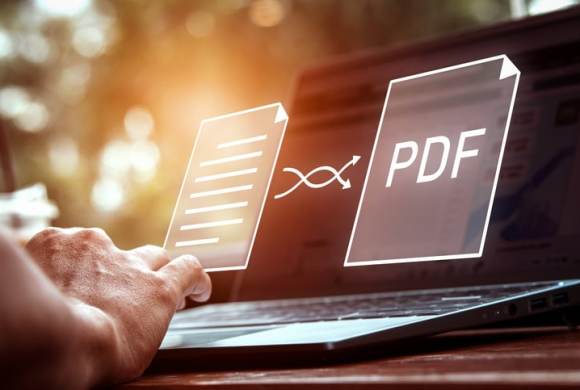
- Compress PDF Files: Sharing large documents can be a hassle, but compressing them makes it easier and more efficient. Tools like Smallpdf allow you to compress PDF files, making them quicker to send and store. This way, you avoid the need for physical copies and keep your digital footprint light.
Benefits of Going Paperless
Embracing a paperless office has numerous advantages beyond just being eco-friendly:
- Reduces Clutter: A paperless office means less clutter. Digital files are easier to organize and search, and you don’t have to deal with overflowing filing cabinets. This can make your workspace tidier and more conducive to productivity.
- Saves Trees: Every sheet of paper saved is a small victory for the environment. By reducing paper use, you’re contributing to the preservation of forests and biodiversity.
- Cost Savings: Going paperless can save you money in the long run. You’ll spend less on paper, ink, printers, and storage solutions. These savings can be significant, especially for businesses that handle large volumes of paperwork.

Eco-Friendly Office Supplies
Choosing sustainable office supplies can make a big difference. Here are some tips:
- Recycled Paper Products: If you must use paper, opt for recycled versions. This includes printer paper, notebooks, and even sticky notes.
- Non-Toxic Highlighters and Pens: Look for office supplies made with non-toxic materials and sustainable practices.
- Reusable Items: Invest in reusable items like a stainless steel coffee cup or a water bottle to avoid single-use plastics.

Sustainable Technology Choices
Technology is at the heart of remote work, but it’s also a significant contributor to electronic waste. The good news is, you can make tech choices that are kinder to the planet without sacrificing performance or convenience. Here’s how:
- Refurbished Electronics: Before you buy that shiny new gadget, consider a refurbished one. Refurbished laptops, phones, and other devices are often just as good as new models, but they cost less and help reduce the demand for new products. Plus, you’re giving a second life to electronics that might otherwise end up in a landfill.
- Proper Disposal: Eventually, all gadgets reach the end of their life. When that time comes, don’t just toss them in the trash; find a responsible e-waste recycling program in your area. Many programs offer free drop-off points or pick-up services for old electronics. This way, valuable materials can be recovered and reused, and harmful substances are kept out of the soil and water.
Tips for Sustainable Tech Use
- Turn Off Devices: At the end of your workday, get into the habit of turning off your computer, monitors, and other electronics. Leaving devices on standby might seem convenient, but it consumes unnecessary power. By shutting them down, you can save energy and extend the lifespan of your gadgets.
- Adjust Power Settings: Dive into your device settings and switch on power-saving modes. These settings can dim your screen, put your computer to sleep after a period of inactivity, and adjust other functions to conserve energy. It’s a small tweak with a big impact on your energy consumption.

Remote Working – The Green Way
Working from home doesn’t have to mean a larger carbon footprint. By making a few simple changes, you can significantly reduce your environmental impact. From cutting down on energy consumption to choosing eco-friendly office supplies and supporting sustainable brands, every little bit helps.
Embrace these practices and enjoy the benefits of a greener, more sustainable remote work lifestyle.
Leave a Reply